

AI BUSINESS AGENTS
AI business assistants. With a clear job to do.
Explore assistants for a specific business task, with agreed knowledge sources, permissions and human review.

THE DETAILS BEHIND DELIVERY
AI business agents
We can scope automation across n8n, Make, Zoho Flow and monday.com, or assess another tool you already use. The right approach depends on the trigger, data permissions, available APIs and the way your team handles exceptions.
Start with a bounded task, select the context it needs and test the outputs before considering wider use.
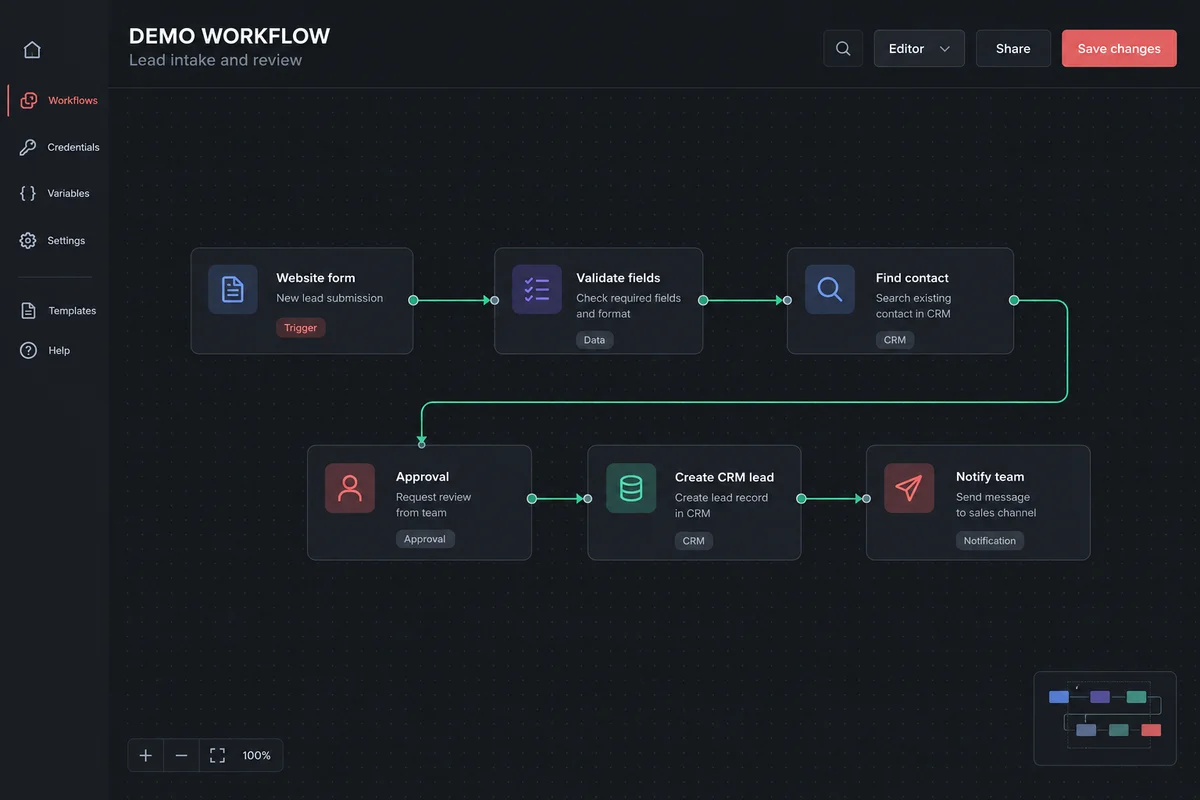
n8n
Follow the lead from enquiry to an approved CRM record.
A form submission starts the example flow. Required fields are checked, an existing contact is searched and an approval step controls when a new lead is created. The final action notifies the responsible team.
Before implementation, we agree how to identify duplicate submissions, handle missing information and record failed actions. The final nodes and credentials depend on your chosen CRM and its API.
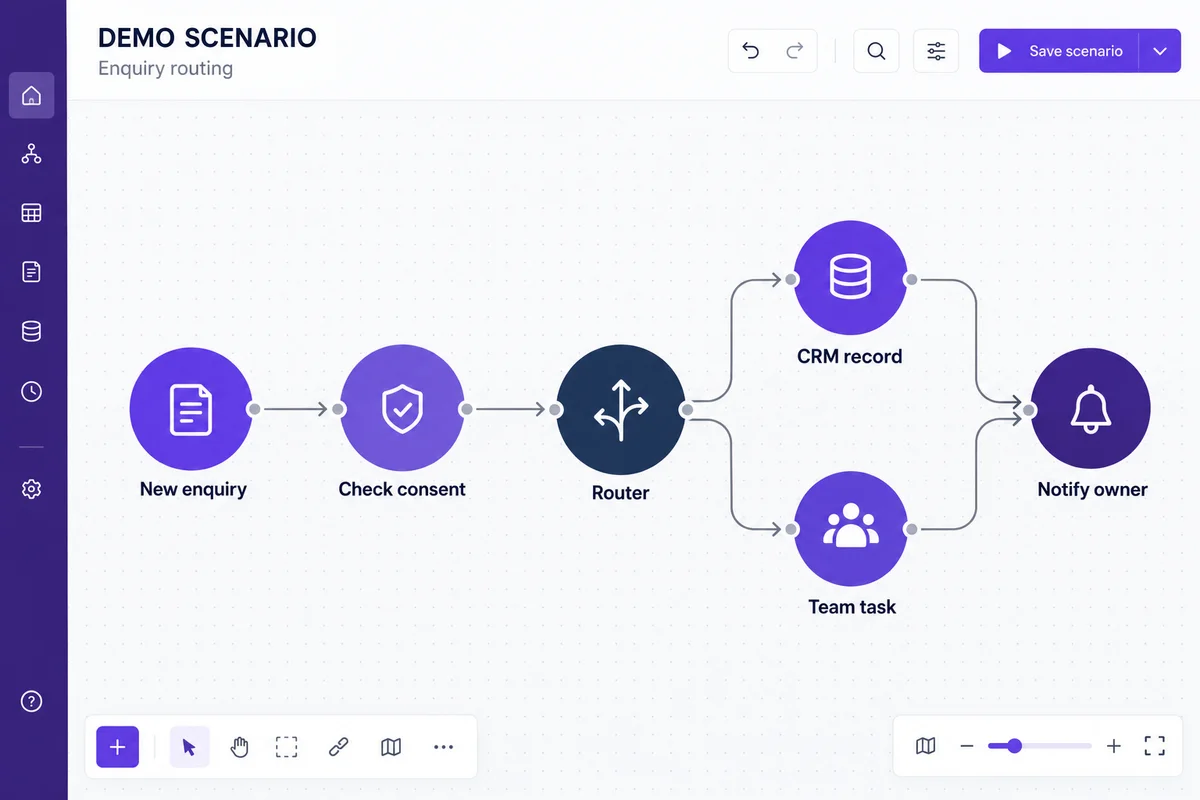
Make
Route one enquiry to the teams that need it.
This example checks the submitted consent and routes the enquiry into a CRM record or a team task. Filters decide which branch runs; an owner notification completes the handoff.
We define the branch conditions, record mappings and failure alerts together. Retrying a scenario should not create duplicate tasks or repeat a customer notification.
Choose the tool around your existing systems.
Zoho Flow can be assessed for workflows connecting your Zoho apps and other services. For monday.com, we review board columns, status changes and the actions your team needs. Native automations, connectors or an API integration may suit different steps.
Platform plans, connector coverage and API permissions are confirmed during scoping. These examples illustrate an approach; they are not a claim that every integration is available on every plan.
HOW WE WORK
A clear process you can review.
Each stage has an agreed output and a named review point. The final scope, schedule and responsibilities are confirmed in your quotation.
Describe the event
Define exactly what starts the process: a form submission, approved record change or schedule. Identify duplicates and situations that must not trigger an action.
Map each system
Agree field mappings and the source of truth. Review connector support, API limits, account permissions and recurring platform costs.
Build for exceptions
Specify approval steps, failure alerts and retry behavior. Decide where human review is safer than repeating an action automatically.
Document and operate
Test representative records and record how to pause, inspect and change the workflow. Agree ownership and ongoing monitoring responsibilities.
PREPARE YOUR BRIEF
Start with the information you already have.
A sample process, existing website or anonymised record is enough to start a useful conversation. Share the outcome you need and the constraints we should consider.
- One specific task to improve
- Approved reference documents
- Your review and data-access requirements
What we confirm before work starts
- Deliverables, milestones and acceptance checks
- Required accounts, access and third-party costs
- Content, data and approval responsibilities
- Training, handover and ongoing support scope
Existing tools can often remain part of the workflow. We assess the proposed connections before promising compatibility.
Discuss your projectPractical questions before you begin
How is the delivery timeline decided?
We estimate the work after reviewing the scope, existing systems and approval process. Content readiness, data quality and third-party access can affect the schedule.
What happens if the requirements change?
We review the additional work and explain its effect on cost and timing before proceeding. This keeps the agreed launch scope clear.
What will our team receive at handover?
The agreed deliverables, access arrangements and documentation are reviewed together. Training, monitoring and maintenance are included only where specified in the quotation.
Define a bounded task before introducing an assistant.
AI assistance needs a clear purpose, useful source material and a way to review its responses. Begin with a task whose output your team can assess.

Prepare the knowledge
Identify approved documents and decide who keeps them current. Explain which information the assistant may use and where it should ask a person for clarification.
Set action boundaries
Distinguish drafting or suggesting from changing a record or sending a message. Agree which actions need human approval and what information the assistant may access.
Evaluate examples
Review representative questions, ambiguous requests and out-of-scope cases. Document the expected response and refine the setup before discussing a wider rollout.